2025-02-26
Super Tetris Time Warp Update
한글 요약이 품질 관문에 걸려 원문만 둡니다.
원문 보기
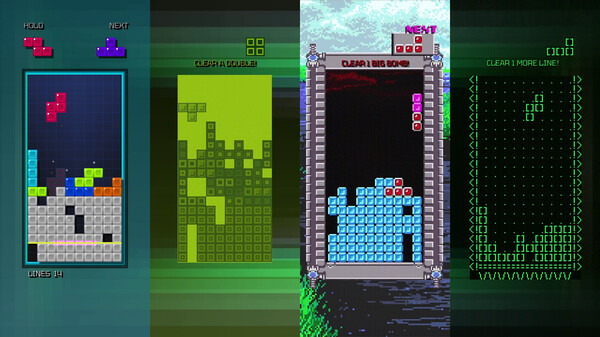
Updates to Tetris Time Warp: Blast Off To Level 30: The single-player modes in Tetris Time Warp, which previously topped out at Level 15, now go all the way to Level 30! Can you handle even higher speeds of play? Starting at Level 20, the Time Warp Tetrimino piece will no longer feature the golden-colored Tetrimino, so you won't be able to create Matrix-clearing cascades. And starting on Level 28, the lockdown speed of Tetriminos will greatly increase. Time Warp Shield: In Tetris Time Warp's multiplayer mode, the Time Warp Tetriminos now have a new power – Shield! Clear a line including a Time Warp Tetrimino while the Shield design is showing, and you'll earn a Shield that will stop other players from sending you into a Time Warp. It disappears after being used once. 1989 Mode Upgrades: Enjoy playing Tetris with black-and-white graphics and chiptune sounds? 1989 Mode, a single-player mode found within Tetris Time Warp, now has a variety of fixes and new options. You can choose to turn off "Modern Gameplay" and experience more historically accurate gameplay. You can also optionally choose to play the game with 18 rows in the Matrix, as opposed to the modern-
스팀 공지2025-01-17
Saving the Saves Update
한글 요약이 품질 관문에 걸려 원문만 둡니다.
원문 보기
Hello, Tetris players! Our latest update brings a few small but important improvements to Tetris Forever, some of which have been specifically added as a result of player feedback. First, we're excited to announce an update to the way game progress is saved in certain games. For console games that originally had battery backup – meaning that high scores, player profiles, and game progress were saved between play sessions – the versions in Tetris Forever now work the same way. If you leave or reset the game, your progress will be retained, without having to use the Save/Load features in the in-game menu. As you work your way through the challenging campaigns of games like Tetris 2 + Bombliss on Famicom or the various modes of Super Tetris 3, you'll be able to retain your profiles and progress with ease.. Additionally, the high score leaderboards for two MS-DOS games will also be persistent between game sessions, recording your accomplishments for all eternity. The games with these upgraded save features are: Famicom: Igo: Kyū Roban Taikyoku Tetris 2 + Bombliss Super Famicom: Super Tetris 2 + Bombliss Super Tetris 2 + Bombliss Genteiban Super Tetris 3 Super Bombliss MS-DOS:
스팀 공지2024-12-20
Tetris Forever 'Welltris' Update
한글 요약이 품질 관문에 걸려 원문만 둡니다.
원문 보기
The team remains hard at work on Tetris Forever, a playable celebration of Tetris released in commemoration of the popular game’s 40th anniversary. This update today includes a new playable game and player-requested features. NEW GAME Welltris (Spectrum Holobyte, MS-DOS) The first follow-up to Tetris created by Alexey Pajitnov, Welltris is a beloved variant in which Tetriminos (and other shapes) fall down four sides of a well. TETRIS TIME WARP All players can now individually remap their controls in Tetris Time Warp, the new four-player Digital Eclipse game included in Tetris Forever that has proven to be a hit with both casual and competitive players. Control remapping was the most requested feature change from players. WHAT'S NEXT? It is our goal to continue to improve and expand on Tetris Forever with more games and features. The teams at Tetris and Digital Eclipse continue to explore adding new games to the collection, as well as addressing further feature requests and reported issues. The team’s next priority is to address an issue in some classic games which prevents users from saving or registering high scores, which we expect to issue a fix in early 2025. We're al
스팀 공지2024-11-26
Tetris Forever November Hotfix
한글 요약이 품질 관문에 걸려 원문만 둡니다.
원문 보기
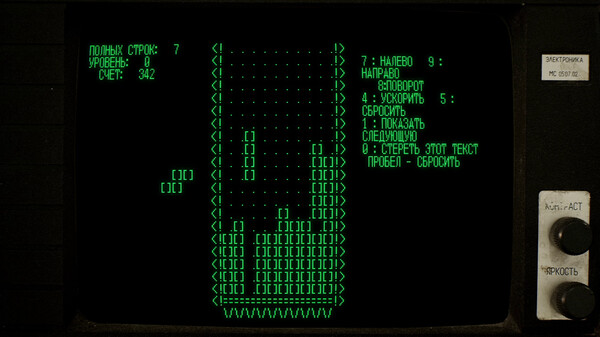
Many thanks for all the feedback since the launch of Tetris Forever. We're investigating bugs and evaluating suggestions, but the improvements based on your input start right now. And input is the right word! Today's update allows custom control configurations for all games in Tetris Forever, including the MS-DOS, Apple II, and Electronika 60 versions. To reassign the controls for each game, open the Pause menu during gameplay and select Controls. We'll continue to monitor the forums for feedback -- thanks for taking the time and effort to reach out. Look for more updates soon!
스팀 공지