2026-03-16
💎Ver. 1.1.1 Update💎
한글 요약이 품질 관문에 걸려 원문만 둡니다.
원문 보기
Hello everyone!This update mainly focuses on bug fixes!Bug FixesFixed an issue in multiplayer where repeatedly pressing the button when entering a dungeon could cause the game to become unprogressable.Fixed an issue in multiplayer where, if a player remained waiting in a certain controller state and a friend advanced to the next floor, the game could become unprogressable.Fixed an issue where the maximum value of Anima had incorrectly increased to 500.Fixed an issue where, when using keyboard controls, the full-screen map could not be closed with the same key after being opened.Fixed an issue where the display could become misaligned if the control method was switched at certain points during the tutorial.Fixed several minor layout issues.If you encounter any issues or bugs, please report them on the official Vivid World Discord!Thank you for your continued support, and we hope you enjoy Vivid World!
스팀 공지2026-03-11
Update: Controller Support joins the party!🎮✨
한글 요약이 품질 관문에 걸려 원문만 둡니다.
원문 보기
Hello everyone!We have some exciting news that many of you have been waiting for☺️We’ve heard your requests loud and clear, and we are thrilled to announce that Vivid World now officially supports controllers🎮🎉Now we can dive into the underworld with our favorite gamepad! Whether you’re optimizing your party from the comfort of your couch or taking the challenge on the go, the strategic depth of Vivid World is now more accessible than ever👍✨Grab your controller, fire up the game, and let us know how it feels! As always, thank you for your incredible support and feedback🙌
스팀 공지2026-03-11
💎Ver. 1.1.0 Update💎
한글 요약이 품질 관문에 걸려 원문만 둡니다.
원문 보기
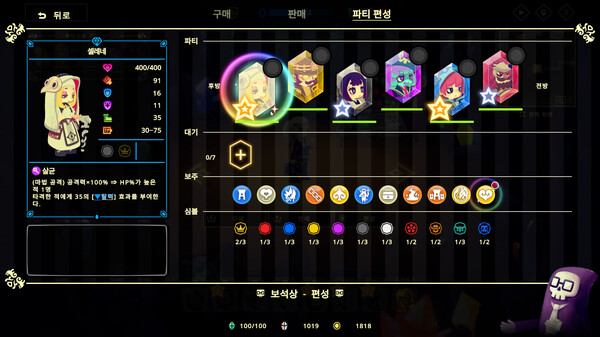
Hello everyone!In ver.1.1.0, we have released an update that adds controller support!In addition to the existing mouse and keyboard controls, you can now enjoy Vivid World using a controller as well.Simply launch the game with a controller connected and press any button to switch to controller controls.NotesWhen using Nintendo Switch or PlayStation controllers, the in-game button icons or control layout may not display correctly.If this happens, please try the following:Vivid World in your Library → Gear Icon → Properties → Controller → Disable Steam InputIf you would like to swap the Confirm and Cancel buttons, you can change this from the in-game Options menu.To support controller controls, some UI elements have been adjusted, including those used for mouse input as well.Example: the display shown when opening the detailed status of allies or enemies during battle.Other FixesAdjusted translations for some buff descriptions and other text in Chinese (Traditional/Simplified) and Korean.If you encounter any issues or bugs, please report them on the official Vivid World Discord!Thank you for your continued support, and we hope you enjoy Vivid World!
스팀 공지2025-12-25
💎Ver. 1.0.20 Update💎
한글 요약이 품질 관문에 걸려 원문만 둡니다.
원문 보기
Hello everyone!This update includes balance adjustments and bug fixes!ChangesAdjusted the final boss of "———— Day 9."Doppel: Removed the effect that copied enemy buffs and changed it to self-apply \ instead. Eased the excessive countering of builds focused on normal attacks. These changes mitigate large difficulty fluctuations caused by luck and ease situations where specific builds made the fight overly difficult.Gestalt: Greatly reduced the number of \ buffs applied. Eased situations where multi-target attacks made the battle disproportionately difficult. These adjustments address cases where certain builds faced excessive difficulty.Echo: Reduced the number of \ debuffs applied and removed the backline skill effect that cleansed debuffs from the frontline. Greatly reduced the number of \ buffs applied, while slightly increasing the attack power of some enemies. These changes relax the previous requirement for multi-hit builds, allowing players to strategize using Gems instead. Additionally, the backline unintentionally removing the \ mechanic has been fixed as it was not intended behavior.Unit “Feicui” Fixed an issue where \ would incorrectly disappear even when \ was
스팀 공지