2026-09-18
Lose Yourself in Live Events in Sea of Thieves Season 21
한글 요약이 품질 관문에 걸려 원문만 둡니다.
원문 보기
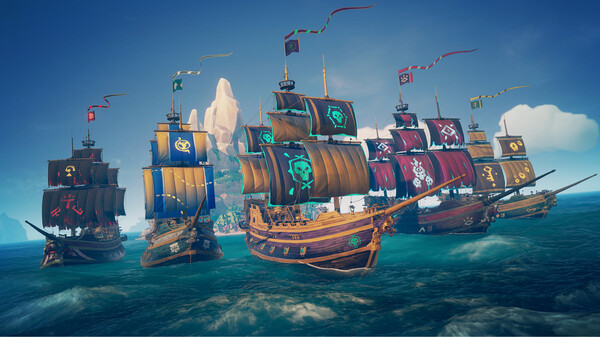
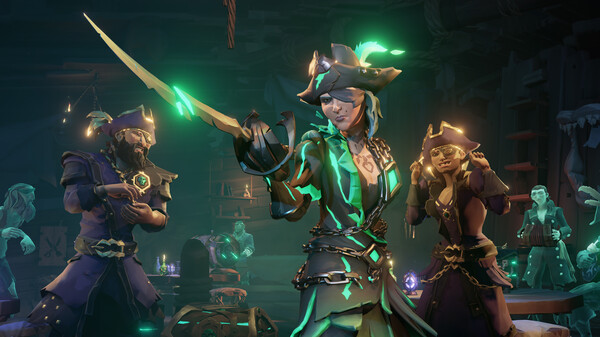
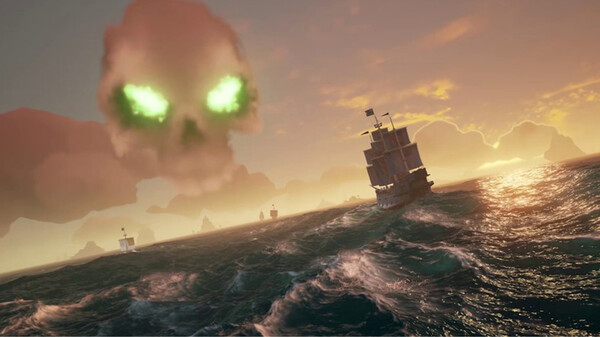
Looking for your next adventure? You won’t need to look far in Sea of Thieves Season 21! With a breathless schedule of Live Events and enhancements to Custom Seas each month, it’s a Season full of things to catch your attention and keep the boosts and rewards rolling in.In keeping with Season 20’s looser structure, Season 21 doesn’t feature distinct headline Acts and so the updates in months two and three will focus on bug fixes, additional Events and refinements to the Custom Seas experience. The Season itself launches on September 17th and brings a refreshed Season Pass and optional Season Pass: Premium Tier, as well as a bolstered range of new cosmetics coming to Outpost stores – and the first of the Season’s special Events!Live Events CalendarSeason 21’s packed schedule of Events promises constant opportunities for reward boosts, time-limited activities and exclusive cosmetics to unlock. In terms of recurring Events, the weekly boosts offered by Fight Nights and Emissaries of Fortune will continue throughout the Season, giving you regular chances to get ahead with your Factions and Trading Companies of choice.Then there’s a selection of monthly or Seasonal Events including Bilg
스팀 공지2026-09-17
Sea of Thieves Release Notes – 3.9.0
- Custom Seas 확장: 새로운 레이아웃 저장 기능 추가
- 시간 속도 조절 명령 추가
- 모험 아이템 spawn 기능 개선
원문 보기
Custom SeasThe free customisation toolset introduced in Season 20 expands with new options and additions! For more info on everything else taking place this Season, head over to our dedicated Season 21 page.Saving LayoutsCustom Seas now provides the ability for creators to save items placed in the world in the form of Layouts, allowing quicker access to custom-built experiences between sessions.Once items are placed, a Layout can be saved by selecting ‘Save Layout’ from the Game Options and then naming it or overwriting an old Layout.When starting a custom session, creators can load a Layout by using ‘Open Layout’ from the Command Menu to place the saved items.Within the Game Options, creators can ‘Reset to Last Loaded Layout’ to return to a previously saved state or ‘Remove Layout’ to quickly remove any placed items.Each Location can support 30 Layouts, and Layouts can be deleted from the Game Options menu.New Commands and Quick CommandsSet Time Speed – This command controls how quickly time passes in the world, supporting Stopped, Slow, Normal and Fast world times.Edit Silver – This command allows Session Owners to manually adjust silver for individual players or crews during a s
스팀 공지2026-08-21
Expanding the Creator Crew for 2026
한글 요약이 품질 관문에 걸려 원문만 둡니다.
원문 보기
Update August 28th: Following the original publication of this article, we’ve heard your feedback and are making some adjustments to what was previously announced with regards to #SoTShot rewards. While we were well-intentioned in trying to keep the line between pre- and post-Custom Seas winners clear, we appreciate your concerns that reducing the criteria of #SoTShot Title rewards could negatively impact all recipients of the Titles old and new, and that we didn’t show the correct appreciation for the efforts of those who’ve reached the ten-win landmark over the last six years.We will still be using the new rewards to create a clear and predictable path from one to ten wins for newer participants, but they will now fill the gaps of the previous system as follows: One Win: Golden Hour SailsTwo Wins: Noteworthy Artist of the Seas TitleThree Wins: Accomplished Artist of the Seas TitleFour Wins: Pirate Paparazzo FlagFive Wins: Renowned Artist of the Seas TitleSix Wins: Golden Hour HullSeven Wins: Inspiring Artist of the Seas TitleEight Wins: Golden Hour Ship’s CrestNine Wins: Golden Hour FigureheadTen Wins: Visionary Artist of the Seas Title Given the new Free Camera at pirates’ dispo
스팀 공지2026-08-20
Sea of Thieves Release Notes – 3.8.2
한글 요약이 품질 관문에 걸려 원문만 둡니다.
원문 보기
Custom SeasBuild new game modes to challenge your friends, record unrivalled cinematics and experience the Sea of Thieves like never before! To learn more about this Season’s headline features, head over to our dedicated Season 20 page.Legendary Location – Seas of Sailor’s GravePlayers in Custom Seas sessions can now choose the Seas of Sailor’s Grave as a new Legendary Location, allowing them to create and play within the Last Ship Standing battleground.The Devil’s Shroud surrounds the map, keeping crews focused on the action. Due to the unique nature of the location, some World Events, creatures and island-specific features will be unavailable.New Commands and Quick CommandsHide Pirate (Quick Command) – This command hides the player’s pirate from others in the session. Using the command again reveals the pirate once more.Invulnerability (Quick Command) – This command causes the player to become invulnerable to all damage.Ship Invulnerability (Quick Command) – This command, when used during Quick Sail, prevents all damage to the ship, including holes, flooding, fire and damage to ship parts.Repair Ship (Quick Command) – This command, when used during Quick Sail, fully repairs the s
스팀 공지