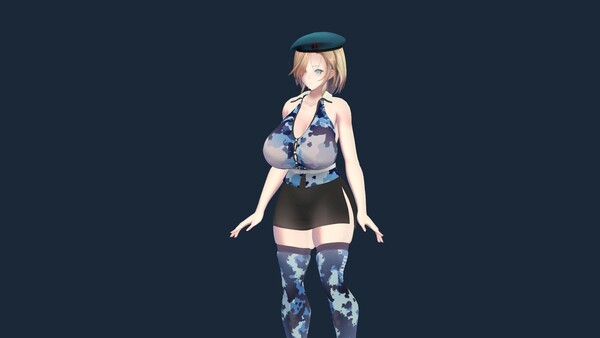
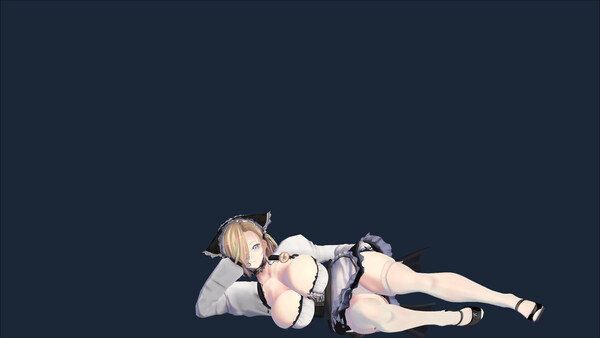
너네 엄마는 데스크톱 시뮬레이션 게임입니다. 컴퓨터 바탕화면이 너무 평범하다고 느끼시나요? 다정한 엄마가 곁에 있었으면 좋겠나요? 그렇다면 이 데스크톱 엄마를 한번 시도해보세요. 조작 방법:마우스를 따라가는 시선 추적, 드래그, 회전 및 확대/축소를 지원합니다. 마우스 왼쪽 버튼으로 드래그하고, 오른쪽 버튼으로 회전하며, 스크롤 휠로 확대/축소할 수 있습니다. 캐릭터를 마우스 오른쪽 버튼으로 클릭하면 메뉴 옵션이 나타나며, 의상을 변경하고 관련 설정을 할 수 있습니다. 게임 콘텐츠:게임에는 다정한 엄마 캐릭터 1명과 여러 벌의 의상이 포함되어 있습니다. 생산성과 힐링 기능:뽀모도로 타이머 — 집중 시간과 휴식 시간을 자유롭게 설정해 업무나 공부에 맞는 편안한 리듬을 만들 수 있습니다. To Do List — 할 일을 만들고 분류하며 우선순위와 완료 상태를 관리할 수 있습니다. 스마트 알림 — 업무, 학습 계획, 중요한 날짜와 일상적인 일에 일회성 또는 매일 알림을 설정할 수 있습니다. 백색소음 플레이어 — 비, 숲, 카페 등 편안한 환경음을 섞고 각각의 볼륨을 따로 조절할 수 있습니다. Cozy 음악 플레이어 — 카테고리, 즐겨찾기, 셔플, 반복, 미니 플레이어를 지원하는 엄선된 Cozy / Lofi 음악을 즐길 수 있습니다. 좋아하는 음악에 맞춰 춤추기: 내장된 댄스 모음에서 선택하거나 직접 VMD 파일을 가져올 수 있습니다. 언제든 재생하고 반복하거나 부드럽게 다른 춤으로 전환하세요. 댄스를 내장 음악 플레이어와 연동할 수 있습니다. 곡마다 특정 춤을 지정하고, 무작위 선택을 사용하거나 현재 춤을 반복할 수 있습니다. Spotify, YouTube 또는 다른 음악 앱을 사용하고 싶나요? 외부 음악 연동을 켜고 춤을 시작할 수 있는 앱을 선택하면 음악에 맞춰 춤이 시작되고 멈춥니다
이 게임의 숨은 것전체 20개 · 1% 미만 2개 · 전 세계 달성률 낮은 순
0.7%
할 일 하나 완료할 일 하나를 완료하고 저장합니다.
0.8%
집중의 순간집중 세션을 한 번 완료합니다.
1.1%
한 공간, 두 가지 소리두 가지 환경음을 동시에 재생합니다.
1.8%
제시간에예약된 알림을 받습니다.
3.4%
첫 번째 트랙내장 음악 플레이어에서 트랙을 재생합니다.
3.6%
음악에 맞춰음악에 따라 춤을 자동으로 시작합니다.
희귀한 도전과제일수록 조건에 히든보스나 비밀 엔딩이 그대로 적혀 있습니다. 스팀 커뮤니티 실측 달성률이에요.
평가는 어떻게 변해왔나리뷰 4,322개 · 전체 긍정 95.5%
월별 긍정률 업데이트 할인
최근 업데이트한글 요약 · 원문은 접어뒀습니다
2026-10-02
v1.43 Update: Typing Interaction and Native Linux Support
한글 요약이 품질 관문에 걸려 원문만 둡니다.
원문 보기
Typing InteractionAdded typing interaction. While you type, the character randomly plays dances from the random list and displays effects in rhythm with your keystrokes. After you stop typing for a while, the character returns to idle.• Typing dances and effects are enabled by default and can be turned off separately in Settings.• You can adjust the delay before the character returns to idle after you stop typing.• On macOS, you must grant Input Monitoring permission the first time you use this feature.Native Linux VersionAdded a native Linux version. It has been tested on Ubuntu with the X11 desktop environment.• Requirements: x86_64 architecture, a desktop compositor, and OpenGL support.• Not yet verified: Wayland/XWayland environments, AMD/Intel graphics, and Steam Deck Gaming Mode.If you encounter issues on another Linux distribution or desktop environment, please leave a comment below. Include the symptoms, distribution and version, desktop environment, X11/Wayland session type, graphics model, and driver version to help us investigate.FixesFixed an issue that prevented the game from launching correctly on some macOS versions.
v1.42 Update: Workshop Filters, UI Fixes, and Compatibility Improvements
한글 요약이 품질 관문에 걸려 원문만 둡니다.
원문 보기
Fixed an issue on macOS where some UI elements could behave incorrectly after changing the always-on-top setting.Added tag exclusion to the Workshop. Click the minus button next to a tag to filter out item types you do not want to see. For example, to hide furry content, click the minus button next to the Furry tag.Improved loading for Workshop item preview images.Improved the rating display on Workshop item detail pages.Improved external audio source detection for linked dances.Improved Proton compatibility on Linux and Steam Deck, fixing an issue that caused the background to appear black when running the Windows version through Proton.
v1.41 Update: Favorites, New Achievements, and Compatibility Improvements
한글 요약이 품질 관문에 걸려 원문만 둡니다.
원문 보기
Workshop FavoritesThe Workshop now supports favorites. You can favorite content from its item details page and view everything together under “My Favorites.”New AchievementsAdded 8 new achievements for you to unlock.Bug Fixes and Compatibility Improvements• Fixed an issue on macOS where the UI could occasionally stop responding after using the file or folder browser.• Fixed an issue that could prevent the game from launching on Steam Deck.
Workshop Dance Motion SupportYou can now upload custom dance motions to the Workshop and share them with other players, or download motions created by the community and give Your Mom even more moves.Improved the Workshop upload interface and workflow.Fixed shadows being cut off on ultrawide displays.Improved the content and layout of the in-game Help interface.