2026-08-27
Update 1.0.6: Order balance
한글 요약이 품질 관문에 걸려 원문만 둡니다.
원문 보기
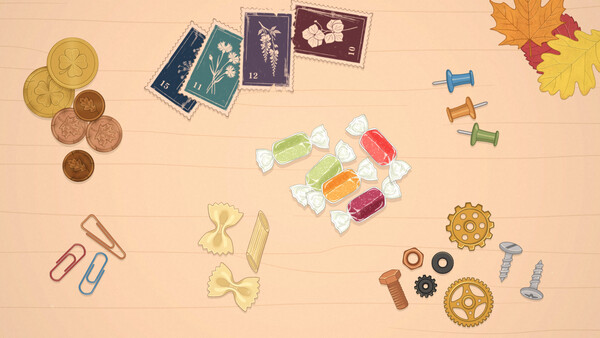
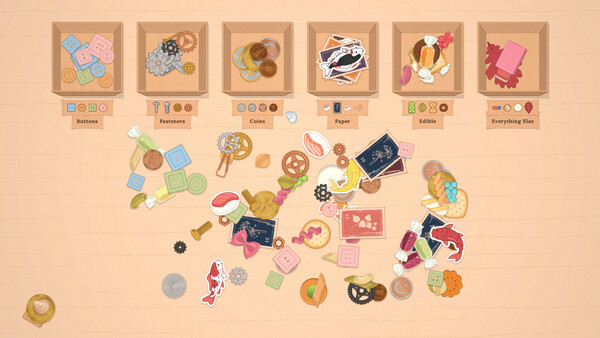
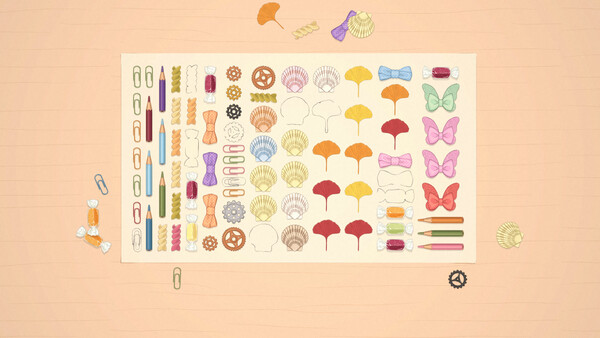
Orders used to arrive with a good part of the work already done. This one is about fixing that, plus two other things that decide what lands on your desk. What changed - An order doesn't show up half sorted anymore. It could happen that more than half the things were already sitting in tidy piles by the right boxes, sometimes almost the whole desk came like that, and there was nothing left for you to do. Now a much smaller part arrives ready. - Orders repeat less. Two in a row could hold pretty much the same things. A familiar mix gets turned down more often now, even when it's a different client and you're sorting by something else. - Photo orders come out even. When a row was short, the extra things piled onto one kind, five of these and one of that. Now they're spread evenly and there's a cap on how many show up, so the rows are the same length and the edge of the sheet isn't ragged. We're still working on this one. And one more thing One more fix went out last night. Some players were getting stuck. If you went through the letters in an unusual order, the shelf could end up empty afterwards, with no clear way to go on, and it looked like the g
스팀 공지2026-08-26
Update 1.0.5: Controls, and settings for them
한글 요약이 품질 관문에 걸려 원문만 둡니다.
원문 보기
Sorry about the controls in 1.0.4. We changed the way things stick together, and building piles got harder instead of easier. Most of that is rolled back now, and the parts people disagree about have moved into the settings, so you can set them the way your hands like. From here on we'll be more careful with control changes, and when there's a call to make, it goes into the settings rather than getting decided for you. Fixed Things you put down next to each other stick together again the way they did before 1.0.4. Short flicks count too, not only slow drags. Throwing a handful at a box no longer scatters half of it into the corner. A pile in the path takes the item in properly now, and items land with a bit of spread instead of stacking on one spot. Setting values kept the previous language after a mid-game language switch. Added A Controls tab in the settings, with three things you can now choose yourself. Pick things up by the handful, on or off. Throw strength, gentle or normal or strong. Add buried things to the handful, if you liked reaching under the pile. {STEAM_CLAN_IMAGE}/46062643/1fbbba2508d7b9508a38d7ab9ad02a0fb0170b50.png If something still feels wrong, or you
스팀 공지2026-08-25
Update 1.0.4: Piles and fixes
한글 요약이 품질 관문에 걸려 원문만 둡니다.
원문 보기
Added - A Recommended settings button in the graphics tab. It matches vertical sync to your monitor and clears the manual frame cap. Fixed - Piles formed when you didn't ask for them. Putting an item back where you took it no longer makes one, and a pile won't swallow things buried under other stuff. - The game ran as many frames as your monitor could take, and laptops ran hot for a game about sorting buttons. On fast displays it syncs to every other frame now. - All Four Windows and Click didn't show up when you earned them. - English wrote the temperature as "+30°". Each language sets its own form now. - The day screen kept the font of whatever language it loaded first. Changed - Piles no longer catch things you throw past them. A pile used to slow down anything flying over it, and in practice it swallowed throws meant for a box. Throws go where you aim them now. If Steam hasn't picked the update up yet, restart it, or switch it to offline mode and back. Dmitry
스팀 공지2026-08-24
Update 1.0.3: FPS limit and fixes
한글 요약이 품질 관문에 걸려 원문만 둡니다.
원문 보기
Added - An FPS Limit in the graphics settings. Unlimited, 30, 60 or 120. A player wrote that their laptop was overheating and there was nothing in the game to turn the load down, so now there is. Picking a limit switches vertical sync off, the two don't work together. Fixed - Picking up a big handful played the sound of every item in it at once. It's quieter now and it doesn't drop out. - The pause menu opened underneath the memory book and the order card. Escape was pressed, the menu was open, and nothing in it could be clicked. - The client's note sat over the boxes, and nothing told you a click puts it away. Now it slides into the corner on its own after you put three things in a box. The clip stays there, click it and the note comes back. - If you play with "Spread Out the Pile Automatically" on, the replay started from the original piles instead of the desk you actually worked on. Now it starts from the one you had. If Steam hasn't picked the update up yet, restart it, or switch it to offline mode and back. Dmitry
스팀 공지