2026-09-28
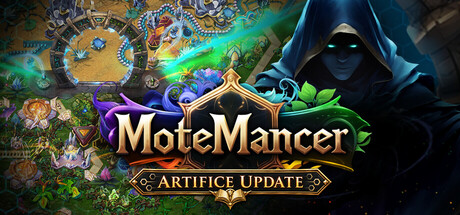
Artifice Update is LIVE!
한글 요약이 품질 관문에 걸려 원문만 둡니다.
원문 보기
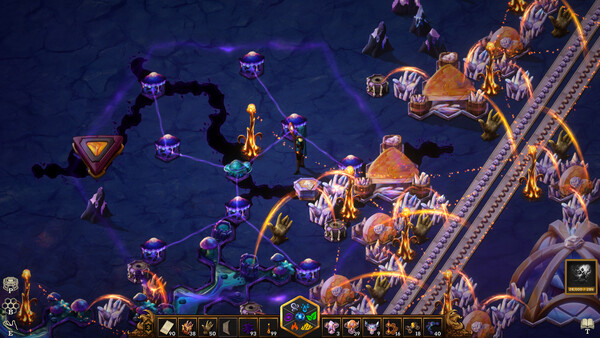
Greetings MoteMancers! The Artifice Update is live, and this time your personal workshop is getting some much-needed attention. The Alchemist's Journal is here, and the Blueprints system has gotten an overhaul - with functional previews, live rotation/mirroring, and a new paintable selection mode. Additionally the new Pinnables and Spell Wheel allow you to keep your recipes, plans, and favorite spells close at hand. A lot of these features have been sitting on the player request pile for a long time. It feels good to finally put them in your hands. Pacing has also gotten a significant pass. Elemental logistics are significantly cheaper, and a few choice Research tree tweaks now allow you to use your Elemental tools sooner. MoteMancer already gives you plenty to think about while building a factory. Finding the right button shouldn't be one of the puzzles. Existing saves are fully compatible with Artifice, so keep tending your current world or start a new one to try the revised progression. Entirely up to you. Let's talk shop! The Alchemist's Journal This feature has been brewing for more than a year. MoteMancer has a lot of unusual rules, and a tooltip can only
스팀 공지2026-08-02
v0.5.060 Rolling Updates for August
한글 요약이 품질 관문에 걸려 원문만 둡니다.
원문 보기
Thank you for all the suggestions and reports. Many of these improvements came directly from forum posts and in-game F1 feedback. Thank you for helping make MoteMancer better! {STEAM_CLAN_IMAGE}/45567834/54037ec78f081302d9ae52ac2fe3bb25ea6bc0d7.png v0.5.060 Bunch of QoL requests filled Quality of Life Inactive research now sorts lower than research that is actively progressing Completed research now shows its final infusion progress Inventory tooltips now show the player's total matching item count Nudge previews now show the destination footprints of structures that will move Players can now walk while selecting an area for a blueprint Mana Flare previews show the blueprint fill range and affected blueprints Low-power structures now show their current power percentage in windows and world tooltips Reliquaries can be shown on the map, checkboxes for current or all. Umbral Waygate stars can be customized with a saved color per Waygate JSON debug saves are formatted for easier inspection Bug Fixes Structure Ctrl-click deposits now respects Reach range Sound effects accumulated while the game is unfocused no longer burst together when focus returns Fix for Self Sufficient being a
스팀 공지2026-07-20
Monday Musings #59 – Digital Underground
한글 요약이 품질 관문에 걸려 원문만 둡니다.
원문 보기
When I first implemented underground belts, I made them a fixed length of three underground spaces because it was easier while I was still figuring out conveyor belt code in general. Over time, though, I realized the fixed length had a number of advantages that were worth preserving. The primary downside is obvious - you don't have infinite freedom to squeeze a variable-length underground into a right space. A close second is that when you get future undergrounds, getting an extra few tiles of distance feels like a meaningful upgrade. Those are compelling advantages, but I'm not convinced they're universally better. With fixed length undergrounds, you only need one structure instead of two. In a puzzle-forward game, the piece itself becomes a known quantity and something you plan around. Every underground behaves the same way, regardless of whether you're routing roots or streams. Also because of the nature of hexagonal footprints, 3 underground segments nicely crosses many of the common footprints you build with. {STEAM_CLAN_IMAGE}/45567834/2b7cd354e9d4e9241ca29ed1ab1728e2477d037e.png Lastly a note about cursed-belt-weaving: In games where the input and output
스팀 공지2026-07-08
v0.5.044 Rolling Updates for July
한글 요약이 품질 관문에 걸려 원문만 둡니다.
원문 보기
Even though Art is the focus, there's still room to slip some quality of life and bug fixes in :) v0.5.044 Quality of Life Blueprints now support horizontal mirroring with H. This is rebind-able but not present in the blueprint window yet, it needs a bit of an overhaul. In-game windows are now temporarily draggable, they will reset positions on closing. Belts have more nuanced crossing logic where they will attempt to detect a middle segment versus an end, bug reports or confusion suggestions welcome. You can now choose to limit Music selection to Current Plane, Adjacent Planes, or All. Adjacent is default New Victory flow where you can save inside the library and exit a follow-on world selection. There will be a Victory screen added in the near future. Copy and Paste configuration functionlity with shift left and shift right click, works on filtered world objects as well as filtered inventory slots. MMB with an item in hand will set the filter slot, empty hand clears a filter Chest inventories now default to being able to place items in whatever slot you want Transmutation window now has hover tips for all the recipes Single tile colliders are now circles instead of hexagons
스팀 공지