2026-09-15
v1.7.12 Minor Bug Fixes
한글 요약이 품질 관문에 걸려 원문만 둡니다.
원문 보기
This is a minor update to address some recent bug reports and improve overall performance. Bug fixesFixed a few performance issuesMade some adjustments to game camera to reduce some stutter in some scenariosOut of Bounds marks now fade to transparent instead of black, which was sometimes visible in Photo ModeUpdated Tutorial steps to display proper key for “Cycle Tile”Fixed an issue where the prop selection grid was being cut off at higher UI ScalesFixed an issue where some Photo Mode controls with ranges 0-100 did not accept text input properly.
스팀 공지2026-08-03
v1.7.11 Quality of Life Improvements
한글 요약이 품질 관문에 걸려 원문만 둡니다.
원문 보기
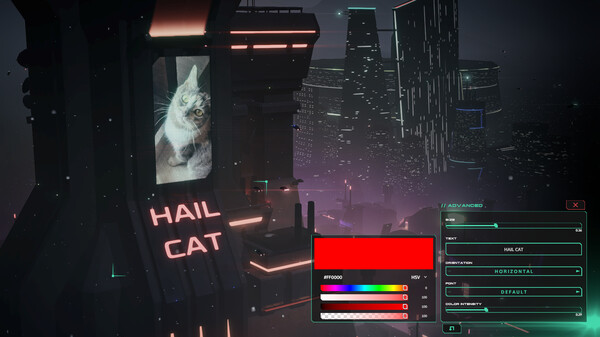
This is a minor update to address some recent feedback and bug reports.Dystopika remains in maintenance mode while I focus my energy on a new project. I'm still watching for feedback and small ways to improve Dystopika in its current form. I hope these changes make your building experience a little better.Control ChangesCycling buildings, props, and billboards has moved from Right Click to the R key. Prevents accidental presses while moving the camera.R also now cycles styles for mod props using the Prop Styles feature.I'm hoping to add proper rebinding in a future update for more flexibility around controls. Quality of Life improvements / Minor ChangesProps can now be marked as Favorites⭐ in the prop selection grid, which pins them to the top. Favorites are saved per-city.Slider values in Photo Mode and Advanced Prop controls can now be clicked to type in a precise number.Added Enable All / Disable All Mods buttons to the City Management screen.Safe Mode (press F8 during the startup message) has been improved for anyone whose game won't launch or is crashing on load. It now:Opens the City Loading screen automatically.Temporarily disables all mods.Temporarily disable
스팀 공지2026-04-16
v1.7.8 Quality of Life Improvements
한글 요약이 품질 관문에 걸려 원문만 둡니다.
원문 보기
This update adds several requested quality of life improvements as well as support for the 1.2.1 ModKit update. Quality of LifeAutosave can now be enabled in the settings at various time increments.Autoload Last Save can now be disabled in the settings. Doing so will display the Load City screen at startup instead of autoloading the most recent save. Mod Debug tools can now be activated in the settings which will display names/IDs of objects and allow for specific buildings to be selected from a building picker list. Intended for our Mod Community to help debug their creations but also useful for power users who want to select specific buildings. When a city has failed to load at startup, it will now present the City Loading screen to select or create a new city. This should prevent soft lock if a city file becomes corrupted. Bug fixesFixed a bug when cursor will disappear when Alt-TabbingRemoved some game controller events from UI navigation to prevent issues with some UI sliders.ModKit v1.2.1A display name can now be set on props and tiles if you’d like to override what is displayed in the Mod Debug Tools (see above).Prop Scaler can now target a specific transform for scalingMini
스팀 공지