2024-09-10
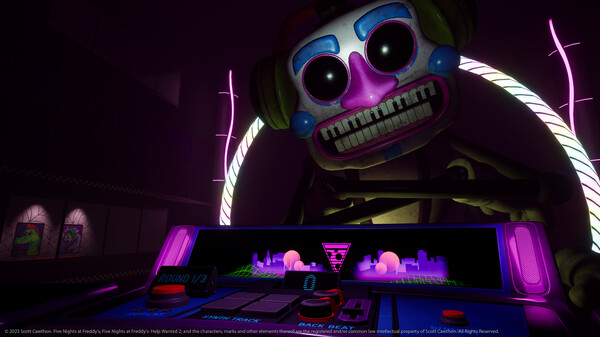
Patch Notes for September 10
한글 요약이 품질 관문에 걸려 원문만 둡니다.
원문 보기
-Fixed a Ballora Gallery issue where the player begins inside of a blind volume when using the Steam Link app on a Quest HMD and when using the Index HMD -Fixed a Ballora Gallery issue where the height increases after retrying when using the Index HMD -Fixed an issue where the player may appear behind the Win Room table when using the Index HMD -Fixed an issue where the player may appear behind the Game Over table when using the Index HMD -Fixed a Breaker Room issue where the player spawn in too far when using the Index HMD
스팀 공지2023-12-19
12/19/23 Rapid Patch Details
한글 요약이 품질 관문에 걸려 원문만 둡니다.
원문 보기
Hey folks! We have just released a patch containing three, very specific fixes. First, players should no longer run into broken/blank cards while playing Endo Warehouse in a language other than English. Second, for our PC players, we’ve added a short term fix to resolve an issue where PC players are getting stuck on the EULA because controller inputs are not working. We have also added baseline support for Steam Link (Not to be confused with SteamVR, which was already supported.) We still STRONGLY recommend that you play with your headset hard wired to your PC. For those not able to get past the EULA, when you launch the game you will be able to enter normally and start playing, but it is far from a perfect fix. Depending on your hardware configuration, you will likely still need to rebind some inputs using SteamVR. For example, on a normal Vive, you will still need to bind your left movement stick in order to teleport. After investigating what we can do to add more robust support for older hardware, it became clear a stop-gap solution was our only immediate path forward, even as a partial fix. A more permanent, complete fix is now in development, but we are choosing not to rush it
스팀 공지2023-12-14
Controller Input Workaround for Help Wanted 2
한글 요약이 품질 관문에 걸려 원문만 둡니다.
원문 보기
Hey folks, Currently, Help Wanted 2 does not natively support the controller key bindings for some headsets. It also does not support the Steam Link app from the Oculus Store, and as a result inputs do not work - that app released 14 days ago which is why we’re just catching it now. If you’re stuck on the game’s EULA, chances are you’ve run into one of these issues. We are actively working on a patch for the game to more proactively support some older VR headsets, as well as the Quest through Steam Link. In the meantime, you are absolutely able to set key bindings yourself via your SteamVR settings, and through the Steam Link app for Quest in order to play the game using the hardware you have. There are two paths forward - looking at community published key bindings inside of your SteamVR settings, or manually setting them yourself. Here are instructions for those options: Selecting Community Published Key Bindings Inside of the “Controller Bindings” menu inside of Steam Link or SteamVR, you may see a section for Community Bindings. You are free to try using a configuration published there - at a glance, there are a few that look solid. Manually Updating Keybindings for Quest via S
스팀 공지