OBS Studio

유틸리티 · 동영상 제작 · 한글 지원 · 2022년 3월 21일
지금 19,155명 접속 중 스팀에서 보기
무료 게임
할인을 기다릴 필요가 없습니다.
가격무료
안정 94.8% 언저리를 꾸준히 유지하고 있어요.

할인 내역

아직 이 게임의 할인을 한 번도 관측하지 못했습니다. 매일 쌓이니 곧 채워집니다.

다음 기회

  1. 오늘2026.08.11

어떤 게임인가

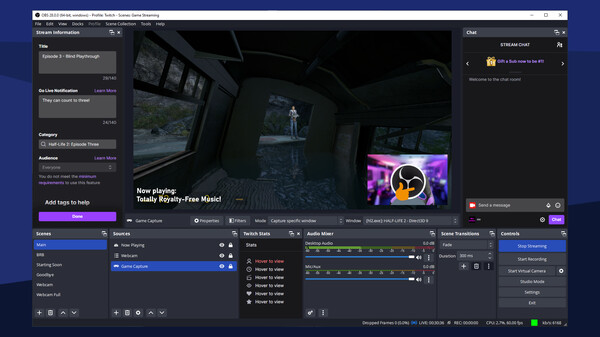
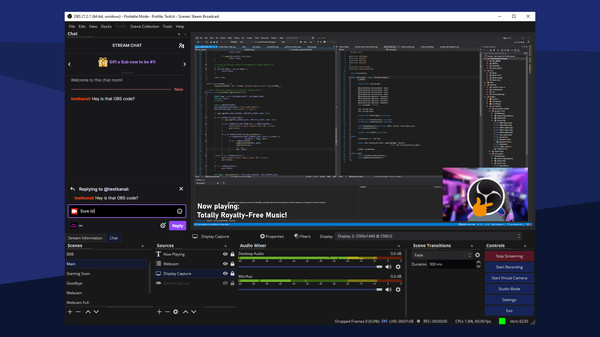
OBS Studio는 라이브 스트리밍이나 동영상 녹화를 위한 무료이며, 오픈소스 프로그램입니다.

컴퓨터 디스플레이, 게임, 웹캠, 영상 파일 등 다양한 종류의 영상 소스를 사용해 장면을 만들어 보세요.

Twitch, YouTube, Facebook 같은 사이트에 방송을 하거나 영상을 녹화하여 공유해보세요기능· 사용자 지정 서버를 포함하여 Twitch, YouTube, Facebook Live 등과 같은 사이트에 비디오를 라이브 스트리밍합니다.
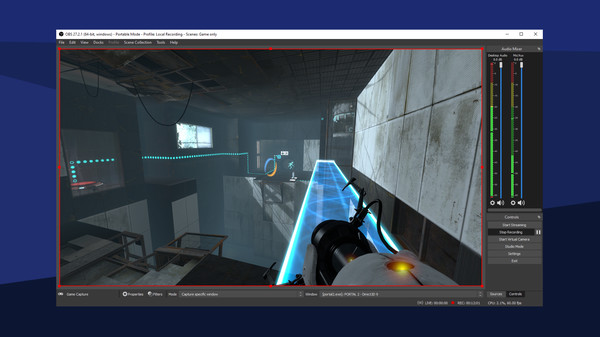
영상을 녹화하여 하드에 저장하고 친구와 공유하세요

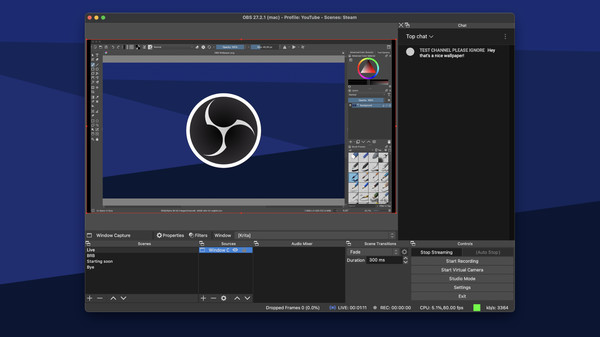
· 고품질 실시간 비디오/오디오 캡처 및 혼합을 할 수 있습니다. 창 캡처, 이미지, 텍스트, 브라우저 창, 웹캠, 캡처 카드 등을 포함한 여러 소스로 구성된 장면을 만듭니다.

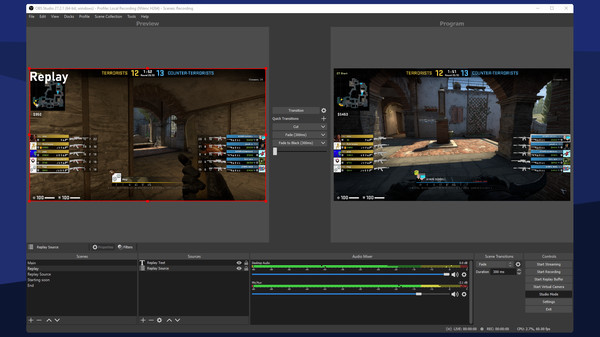
· 사용자 지정 전환을 통해 원활하게 전환할 수 있는 장면을 무제한으로 설정할 수 있습니다.

· 노이즈 게이트, 노이즈 억제 및 증폭과 같은 소스별 필터를 갖춘 직관적인 오디오 믹서를 개별적으로 적용할 수 있습니다. VST 플러그인을 완벽하게 지원합니다

· 강력하고 사용하기 쉬운 설정을 제공합니다. 음원 또는 영상 소스를 손쉽게 추가, 복제, 조정할 수 있습니다

· 설정 창이 능률적으로 배분 및 구성되어 있어서 방송과 녹화의 모든 부분을 조율할 수 있습니다

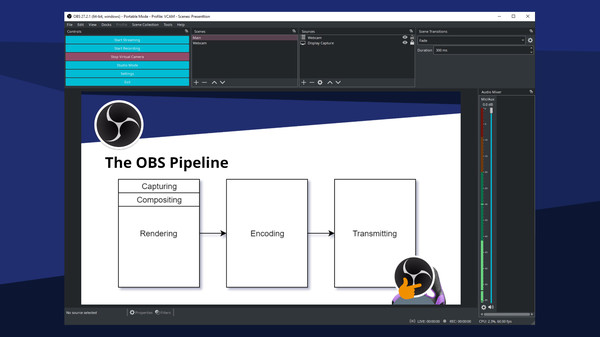
· 모듈식 '독' UI를 사용하면 원하는 대로 레이아웃을 다시 정렬할 수 있습니다. 심지어 특정 기능의 인터페이스를 독립적인 창으로도 배치할 수 있습니다

· 다양하고 조정이 가능한 전환 효과를 직접 골라 장면 사이에 배치하거나 나만의 스팅어 영상 파일을 삽입할 수도 있습니다

· 장면 간 전환, 방송 또는 녹음 시작/중지, 오디오 소스 음소거, 눌러서 말하기 등과 같은 거의 모든 종류의 작업에 대한 단축키 설정을 할 수 있습니다

· 스튜디오 모드는
평가는 어떻게 변해왔나전체 긍정 94.6%

85%93%100%2026-08-04 · OBS Studio 32.22026-04-03 · OBS Studio 32.1.1 Hotfix2025-09-27 · OBS Studio 32.0.1 Hotfix2025-07-29 · OBS Studio 31.1.22025-07-12 · OBS Studio 31.1.12025-07-08 · OBS Studio 31.12025-01-18 · OBS Studio 31.0.1 Hotfix2024-12-07 · OBS Studio 31.02024-08-15 · OBS Studio 30.2.3 Hotfix2024-07-23 · OBS Studio 30.2.1 Hotfix2022-032022-122023-092024-062025-032025-12
월별 긍정률 업데이트 할인

최근 업데이트한글 요약 · 원문은 접어뒀습니다

2026-08-04
OBS Studio 32.2

한글 요약이 품질 관문에 걸려 원문만 둡니다.

원문 보기

Important: NVIDIA users must update their GPU drivers to 570.0 or newer to continue using NVENC. 32.2 New FeaturesReplaced add source dropdown with new dialog Added copy paste functions to frontend API Added filter to compose SDR into HDR Added delete as a hotkey to delete sources on macOS Added dynamic bitrate support to multitrack video Added missing file support for filters Added ability for plugins to set custom icons for new source typesImproved FPS selector UX Included .webp files when adding a directory to Image Slide Showsource 32.2 ChangesForced Intel-based installations to update to Apple Silicon versionon macOS This change means that OBS Studio versions built for Intel-basedMacs but running on Apple Silicon Macs will automatically update to OBSStudio built for Apple Silicon Macs. If an installation was usingthird-party plugins, those plugins will no longer load until replacedwith Apple Silicon versions.Fixed audio mixer state getting out of sync when changing settingsvia websockets or plugins Added theming for checked QToolButtons Added minimum width to spinboxes Changed new capture devices to use fallback frame rate by defaultImproved OpenGL performance slightly on low-

스팀 공지
2026-04-03
OBS Studio 32.1.1 Hotfix

한글 요약이 품질 관문에 걸려 원문만 둡니다.

원문 보기

Fixed missing audio mixer tooltips Fixed audio mixer minimum width being too large Fixed audio mixer sorting weight for global and pinned sourcesFixed disabled sources appearing in audio mixer Fixed missing toolbar actions for audio mixer Fixed incorrect colors in audio mixer Fixed audio deduplication incorrectly applying when an audio outputcapture source is set to monitor only

스팀 공지
2025-09-27
OBS Studio 32.0.1 Hotfix

한글 요약이 품질 관문에 걸려 원문만 둡니다.

원문 보기

32.0.1 Hotfix Changes Fixed a possible crash in 32.0.0 on Windows when opening source properties Fixed an issue in 32.0.0 where browser sources would break after switching scenes This issue may also have caused increased resource usage. Fixed an issue in 32.0.0 with the audio deduplication logic when an Audio Capture Source device is also used for monitoring Fixed an issue in 32.0.0 where Multitrack Video settings were unavailable to Custom Services

스팀 공지
2025-07-29
OBS Studio 31.1.2

한글 요약이 품질 관문에 걸려 원문만 둡니다.

원문 보기

Fixed an issue in OBS Studio 31.1.0 and 31.1.1 causing Multitrack Video to set the Maximum Video Tracks to 10 if the user had set it to "Auto" Fixed an issue in OBS Studio 31.1.0 and 31.1.1 causing Browser Source hardware acceleration to fail in the Flatpak version Fixed an issue in OBS Studio 31.1.0 and 31.1.1 where progress bars were styled incorrectly Fixed an issue in OBS Studio 31.1.0 and 31.1.1 where spacing around scrollbars was incorrect Fixed an issue in OBS Studio 31.1.0 and 31.1.1 where Decklink Output did not work Fixed a freeze in OBS Studio 31.1.0 and 31.1.1 on Linux when using PipeWire capture with explicit sync Fixed an issue where Video Capture Devices on Linux could unexpectedly stop capturing video Fixed an issue with PipeWire capture on Linux where video filters could cause gamma shift This was done by reverting a fix for white-tinted PipeWire captures in 10-bit or 16-bit color formats, so that issue will return for now.

스팀 공지

최근 한국어 리뷰

추천 · 2026-08-09 · 53시간 플레이

방송이든 뭐든 다 고트임

추천 · 2026-08-05 · 10시간 플레이

최고의 앱

추천 · 2026-07-28 · 36시간 플레이

아주 좋소 컴퓨터 사양만 충분하면 당신도 방송인!

추천 · 2026-07-26 · 9시간 플레이

GOOD

근거

  • 가격·할인 — Steam 스토어 실시간, 할인 종료일 포함
  • 할인 규칙 — 할인 종료 후 30일 재할인 금지(시즌세일 면제)
  • 할인 이력 — 우리가 직접 관측한 0건. 외부 가격 이력은 아직 미연결
  • 평가 추이 — Steam 리뷰 히스토그램 월별 집계 54개월치

게이밍 기기장비 바꾸면 티 나는 것부터