2022-03-24
Easter event, Remote Play Together and more!
- **새로운 패치**: Easter 이벤트 및 Remote Play Together 기능 추가
- **이벤트**: 3월 24일부터 4월 30일까지 Easter 스킨 수집 가능
- **변경사항**: 튜토리얼 모드에서 친구와 함께 플레이 가능, 아이템 강조 및 로딩 화면 개선
원문 보기
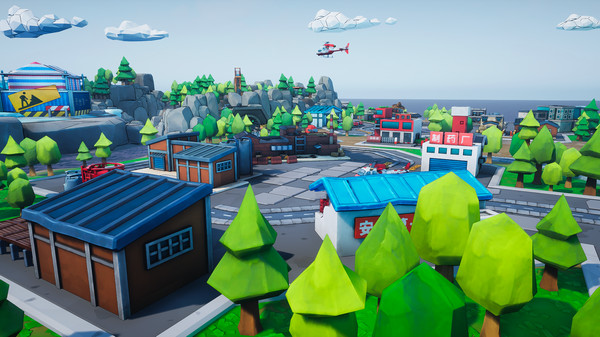
Hello rescuers, It's time to celebrate spring and we have some exciting news: a new patch is now available for download, which includes new features, adjustments and a special Easter event! From March 24th to April 30th you will find special eggs hidden in the stages of Rescue Party: Live!. By collecting them, you will have the opportunity to obtain special in-game items, such as cute skins for your favorite character! {STEAM_CLAN_IMAGE}/40923917/8e80aefb8100333b94f7f9dc2e122629104b360b.png Here the complete changelog: Remote Play Together function added, in order to make it easier for players to team up with their friends. Players can now play the tutorial level with their friends under the story mode. This can help your new friends to play and learn at the same time! Added a set of Easter skins (obtainable by collecting eggs in the levels Residential District, Pinestone Canyon, Sunken Ferry, Chemical Plant, Highway Bridge and Snow Mountain Park). Added a set of Easter tiaras (obtainable through the tournament mode rewards). Added some Easter decorations to the main menu. Changed loading screen tips to be more clear. Added tips for throwing stuff around. Added highlighting to
스팀 공지2022-01-28
New update available now!
- UI 적응형 화면 크기 변경, 키보드 커스터마이징 추가
- 토너먼트 레벨 변경 및 컨트롤러 호환성 개선
- 캐주얼 모드 난이도 조정 및 마우스 네비게이션 지원
원문 보기
Hi Rescuers, A new patch for Rescue Party: Live! is now available for download. Here’s the changelog: UI adapts to different screen sizes and ratios Added the keyboard custom key function Modified the length of game tournament and the number of levels, the original game tournament is 6 levels, now the tournament is 4 levels Fixed the problem that some controllers were incompatible or unusable Casual mode optimized difficulty, suitable for more novice players You can now use the mouse to navigate the game menu Support controllers being plugged in on the fly Optimization of search buddy response speed Added four graphic quality options: low, medium, high, and extra high. Users can freely choose the image quality according to their computer configuration Thanks for your feedback and your support! Remember to stop by our Twitter, Facebook group, or Discord channel to let us know what you think of the game and share with us your experience.
스팀 공지2022-01-16
January 16, 2022 version change log
- 컨트롤러 관련 문제 수정, 자동 다운로드 기능 도입
- Xbox 컨트롤러 지원 강화, PS4 사용 시 입력 컨트롤러 활성화 필요
- 볼륨 조정 기능 개선 및 게임 내 제어 설명 추가
원문 보기
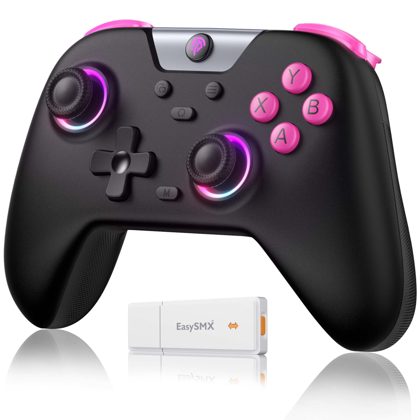
Hi rescuers! Please check out our latest updates! First of all, we’ve fixed the controller related issues which has been mostly reported. As the controller settings brought by our own programmer have some conflicts with Steam’s own settings, we’re sorry to bring so much negative experiences to you guys. For this update, rescuers will automatically download our official controller setting files. Please re-start Steam once finish the update. then the game can natively support Xbox and its compatible controllers. To use the PS4 controller, you need to turn on Steam's input controller. The default configuration of PS5 and other controllers will be supported in subsequent updates. Please also note that we temporally block the feature of customizing controls for the compatibility, and all customized controls previously saved will be reset to defaults. Regarding the issues of sound excessive, we’ve also fixed the problem through reducing the default volume to 50% of previous volume. For rescuers who have save files, we would greatly appreciate if you could adjust the volume in setting menu! In addition, we’ve added a control explanation picture on the in-game pause menu, and therefor
스팀 공지