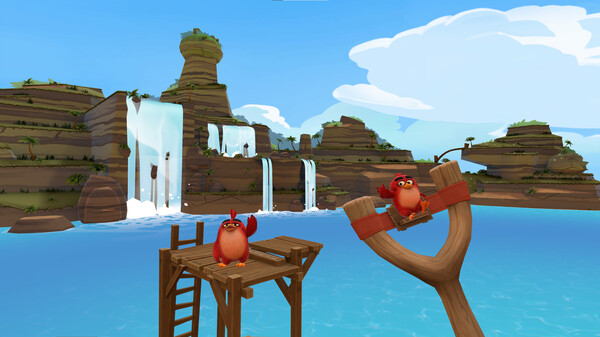
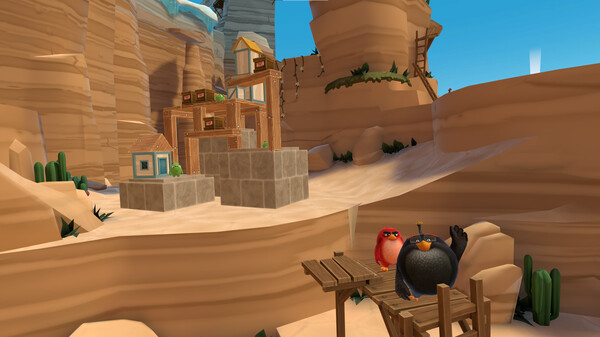
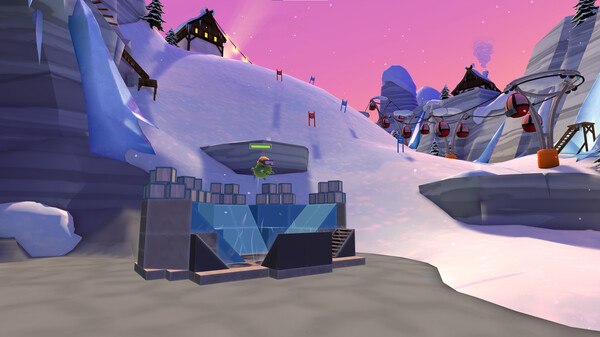
Join Red, Chuck, Bomb and the Blues to save the stolen eggs in Angry Birds VR: Isle of Pigs, an immersive VR game adventure of more than 100 fun-filled levels from Resolution Games!
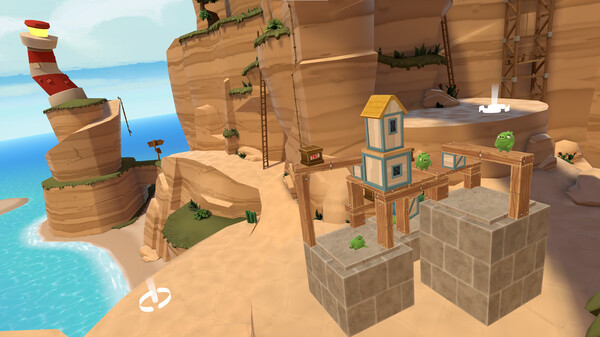
Explore the remote island where the greedy green pigs take their vacation, slingshot your way to victory by defeating the evil Dr. Frankenswine, and create/share/discover an infinite number of levels with the online level builder.
Start out by making your way to party city through serene “Vacation Levels” filled with exotic beaches, steep cliffs and snowy slopes while destroying structures in the most spectacular way to earn those all-important stars.
Once the new boss pig Dr. Frankenswine takes over, it’s time to slingshot your way through even more challenging “Spooky Levels” gameplay, where the beaches are scary, the cliffs are creepy, the slopes are slimy and the peaks are terrifying.
Throughout th
이 게임의 숨은 것전체 28개 · 조건 비공개 7개 · 1% 미만 6개 · 전 세계 달성률 낮은 순
0.5%
Eggstremely Awesome깨기 전엔 조건을 안 알려주는 도전과제
0.7%
The Abominable Snowswine깨기 전엔 조건을 안 알려주는 도전과제
0.7%
Army of PignessAchieved all the stars at Terror Peak. Groovy!
0.7%
Saw Awesome깨기 전엔 조건을 안 알려주는 도전과제
0.9%
Unexpected Visitor깨기 전엔 조건을 안 알려주는 도전과제
0.9%
RoastbustersAchieved all the stars at Slimy Slopes. He slimed me!
희귀한 도전과제일수록 조건에 히든보스나 비밀 엔딩이 그대로 적혀 있습니다. 스팀 커뮤니티 실측 달성률이에요.
평가는 어떻게 변해왔나리뷰 318개 · 메타크리틱 79 · 전체 긍정 89.1%
월별 긍정률 업데이트 할인
최근 업데이트한글 요약 · 원문은 접어뒀습니다
2026-02-20
Hotfix 2026-02-20
Steam 계정 연결 오류 수정 완료, achievements 등록 불가 문제 해결
2026년 2월 20일 업데이트
계정 안정성 강화
원문 보기
In our latest maintenance patch we accidentally severed the connection to your Steam account which meant no achievements could be registered to your user. This should now be fixed.
Can't start Angry Birds VR through Steam Link? — Here's a fix!
메타 퀘스트 헤드셋에서 Steam Link로 Angry Birds VR 실행 불가 시 SteamVR 설정 변경 필요
OpenXR 호환성 문제 해결 가이드 제공
SteamVR 설정 후 실행 가능
원문 보기
{STEAM_CLAN_IMAGE}/34325130/eb5dad4565dcbc4d4b7e8aff8121b2cd4938e7df.png If you're using Steam Link on any of the Meta Quest headsets and can't get Angry Birds VR past the "Next Up" step on the headset (see the screenshot above), so that it only runs on your main monitor, the cause is likely that you don't have SteamVR set as you current OpenXR runtime. This post will give you some background on this issue and show you how to fix it. Background Angry Birds VR uses OpenXR which means that it can and will run with any OpenXR runtime on your computer. Which runtime is used can't be controlled by the game. Rather, whatever runtime is set as the current OpenXR on your computer will be used. The Oculus PC client will give you an explicit warning if it isn't set as your current OpenXR runtime, with a button to set is as such. Hence, most Quest users using the Quest with their PC will most likely have Oculus set as their current OpenXR runtime. This is fine when running the game using Meta Quest Link as it will work with both the Oculus client and SteamVR. Steam Link only works with SteamVR however which means that you will need to set SteamVR as your cur